Your Clicks, Your Record: How to Put Relay² in Your Instagram, X and Link-in-Bio
You made the post. Someone tapped. Then the number went somewhere you can't keep. Here's how to put a tracked link everywhere you share, so the record stays yours.
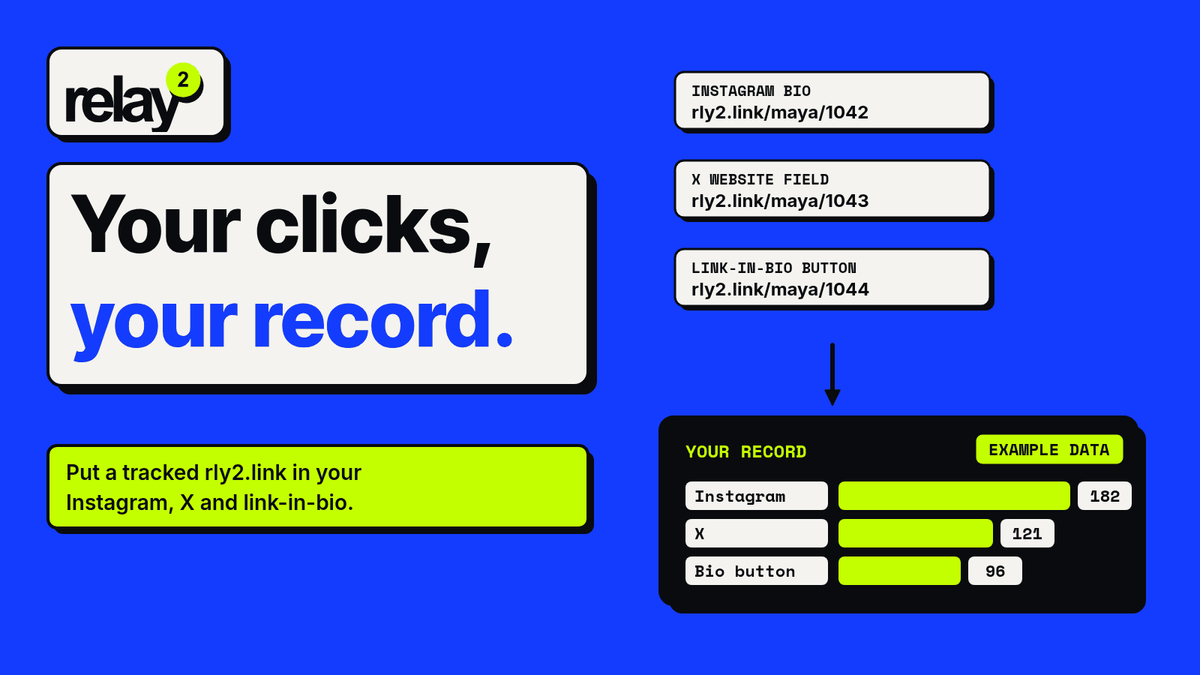
You did the work. They kept the receipt.
You film it, edit it, write the caption, answer the comments. Someone taps your link. That tap is the moment a person stopped scrolling and chose to go look at the thing you shared.
And then the record of that moment lives in someone else's app, inside someone else's time window.
Look at what you get today:
- Instagram shows professional accounts a total called "External link taps" for the links on your profile. You can look back over the past 90 days, no further. You can list up to five bio links, but guides that tested it say you get one combined total, not a count per link.
- X moved its full analytics dashboard behind Premium. Link clicks show up post by post in the mobile app, not in the account view.
- Linktree's free plan keeps 28 days of Insights history. Export, UTM parameters and Google Analytics are on paid plans.
That's the crumbs. A total here, a window there, and a different app for each.
Creators feel it. In Patreon's State of Create 2025 survey of 1,007 US creators, the report put it bluntly: "If you don't own the fan relationships, then ultimately they're not your fans. They're just the platforms' users." 53% said it's harder to reach their followers than five years ago, and 78% said algorithms affect what they make.
You can't change how the apps work. You can change which link you share.
Paste it. Track it. Share it.
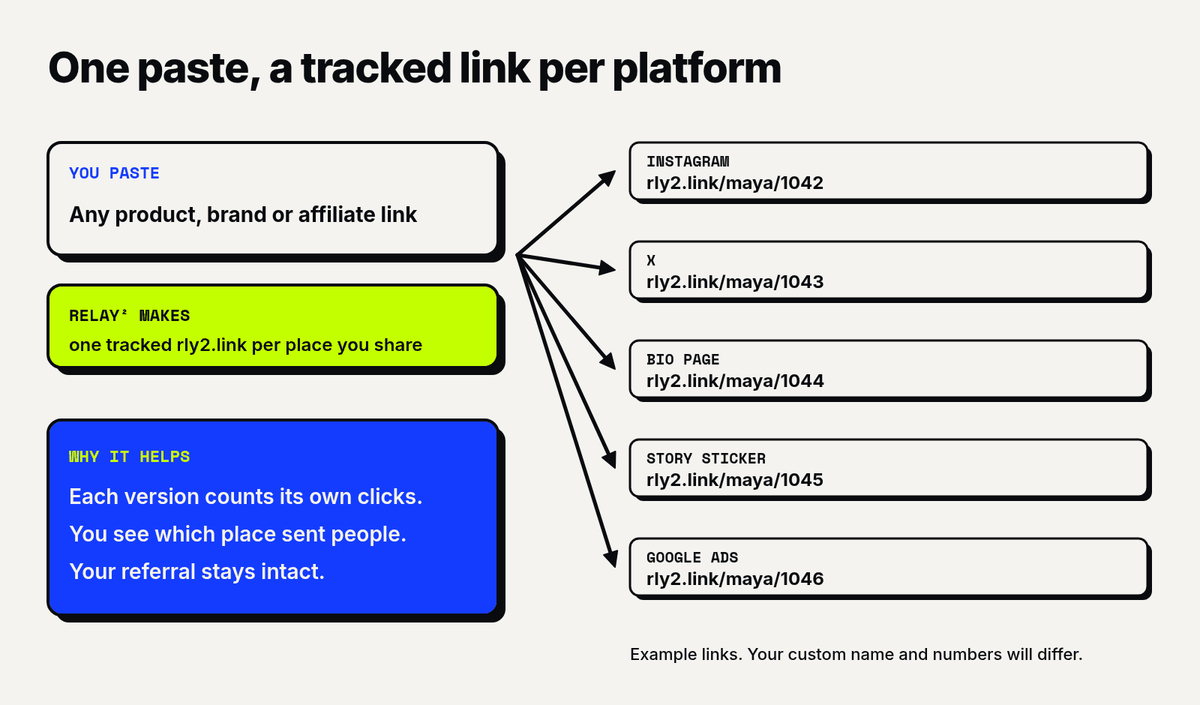
Relay² turns any link into a short rly2.link that counts the click at the link itself, wherever you post it. It works with brand links and affiliate links, and your referral stays intact.
Paste one link and you get a tracked version for each platform you share on: Instagram, X, your bio, Google Ads and more. Each version counts its own clicks, so you can see which place actually sent people.
Example only: paste a product link and your Instagram version might look like rly2.link/maya/1042.
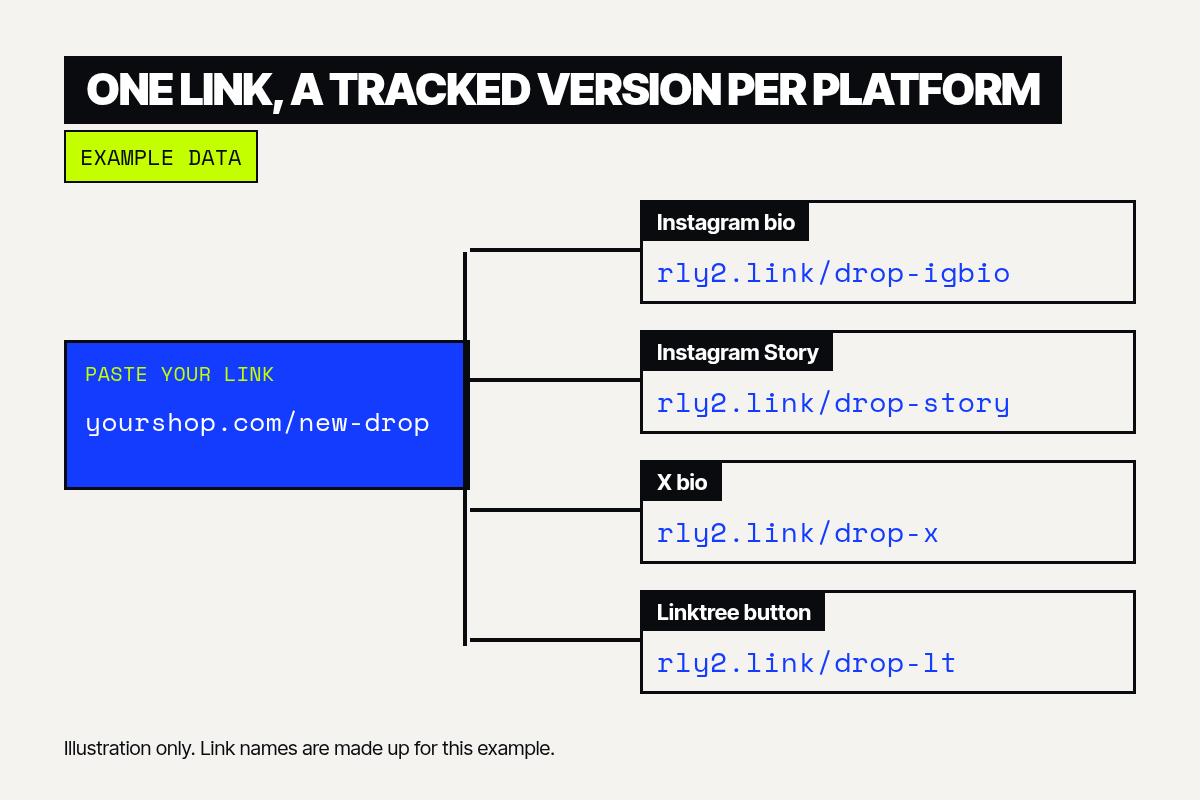
What we record is deliberately small. We record the region and metro a click came from, never the person. There are no visitor IDs. You see where your audience is without anyone being watched.
Pricing is simple: Free (10 links/month, unlimited clicks) / Premium $9.99/month. Free keeps 30 days of click history. Premium adds unlimited tracked links and all-time click history, so your record never ages out.
Here's how to put those links to work.
How to add a Relay² link to Instagram
Instagram gives you two places for a link people can tap: your profile and your Stories. Captions on posts and Reels don't make links clickable, so those point people to your bio.
In your bio
Instagram lets you add up to five links to your profile.
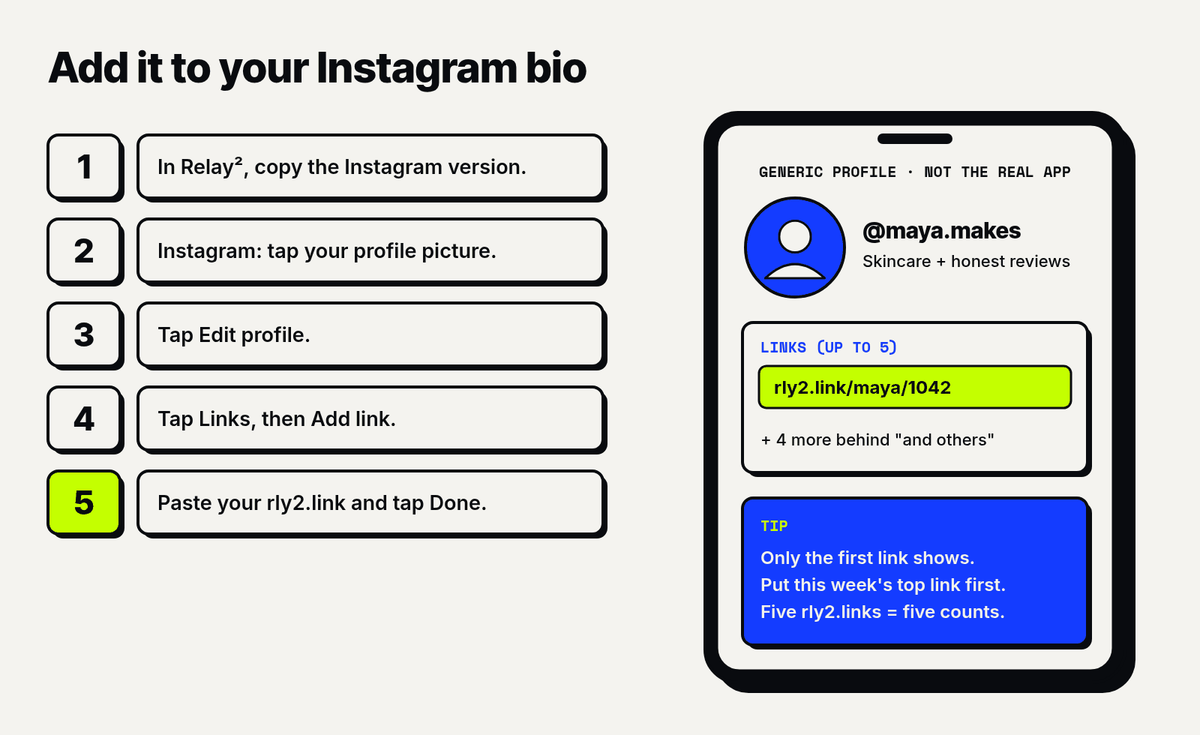
- In Relay², paste your link and copy the Instagram version.
- In Instagram, tap Profile or your profile picture in the bottom right.
- Tap Edit profile.
- Tap Links, then Add link (some app versions say "Add external link").
- Paste your rly2.link. Add a short title if you like.
- Tap Done.
Only your first link shows on your profile. The rest sit behind "and X others", as Gadgets 360 notes. So put this week's most important link first. To change the order, go to Edit profile → Links → Options → Reorder links, drag, then tap Accept.
Why it matters: Instagram gives you one total for your profile links. Five rly2.links give you five separate counts.
In a Story, with the Link sticker
- Create your Story: capture or upload a photo or video.
- Tap the sticker tool in the top bar.
- Tap Link, paste your rly2.link, then tap Done. You can also customize the sticker text, like "Shop the serum".
- Place the sticker, and tap it to switch colors.
- Share your Story.
Those are Instagram's own steps. Instagram notes that new accounts, and accounts that repeatedly break its Community Guidelines, don't get the Link sticker. Sticker features may be limited in Japan and Europe.
In captions and Reels
Caption links aren't clickable. Say "link in bio", and make sure the link in your bio is the tracked one. When a post spikes, you'll see it in that link's clicks.
How to replace your Linktree links with Relay²
You don't have to give up your Linktree page. Keep the page, and swap each link on it for a tracked one.
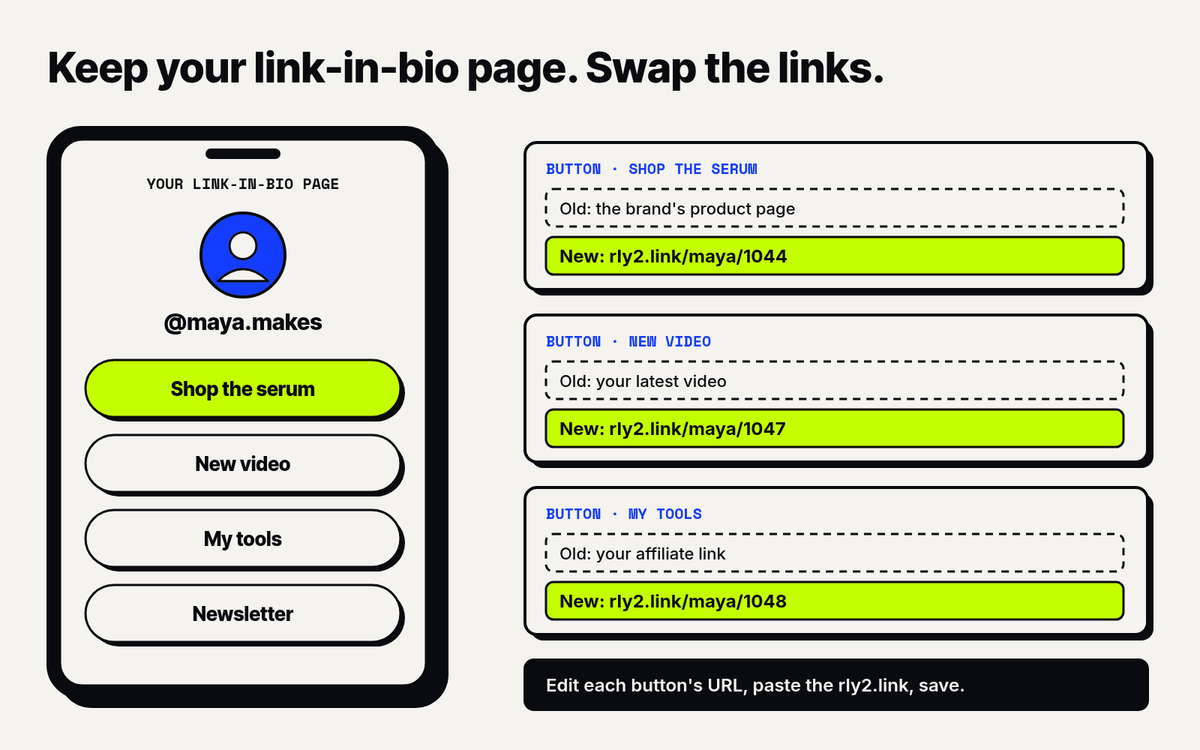
- In Relay², paste the destination of each Linktree button and copy the version for your bio.
- In Linktree, open your links and edit each button's URL.
- Replace the old URL with the rly2.link and save.
Your Linktree keeps counting page views and button taps. Relay² counts each link's clicks, including when you share the same link in a Story, a DM or on X, and keeps them all in one list with 30 days of history on Free.
If you only share one or two things at a time, you can also skip the page. Put rly2.links straight into Instagram's five bio links and X's Website field.
A Relay² bio page is on the way. We'll share it here when it's ready.
A fair look at how Linktree sets you up
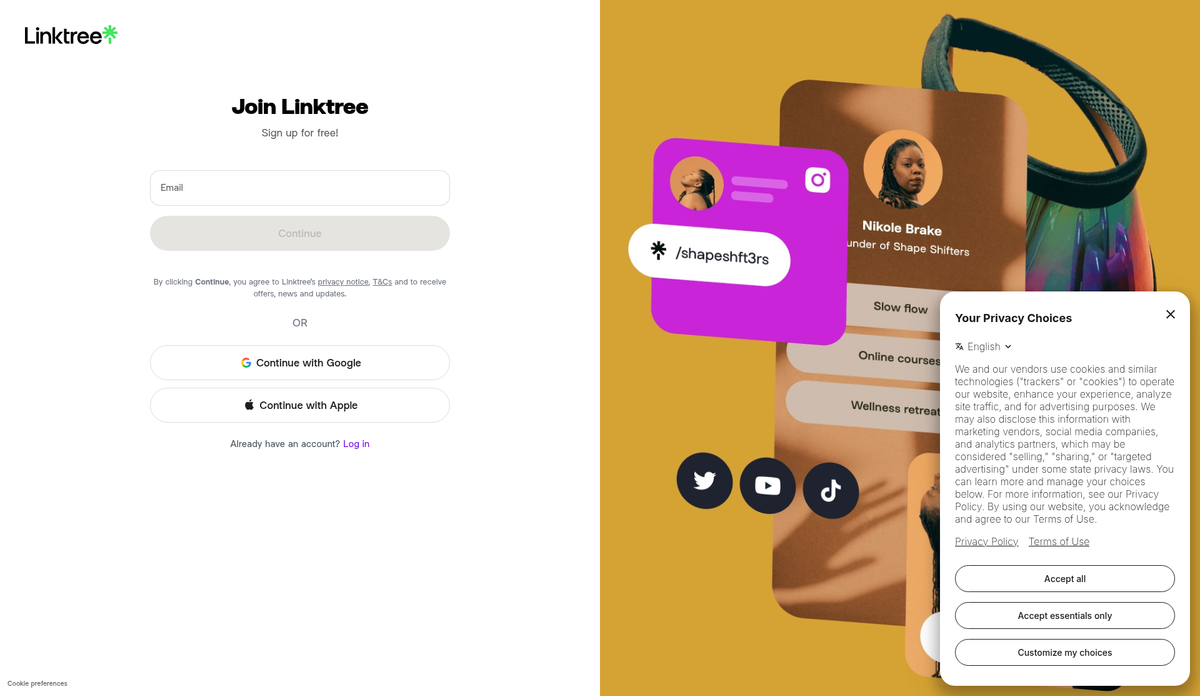
We signed up so you don't have to guess. Linktree's web onboarding asks for your email, username and password, then about you and your interests. Then it shows an upgrade screen before you've added a single link. After that come the theme, the link blocks and the thumbnails. The first run is about building a page.
Tracking lives on a side tool. Linktree's tr.ee shortener will shorten a link right away, but the login screen says you need an account to "edit, track and delete your short links."
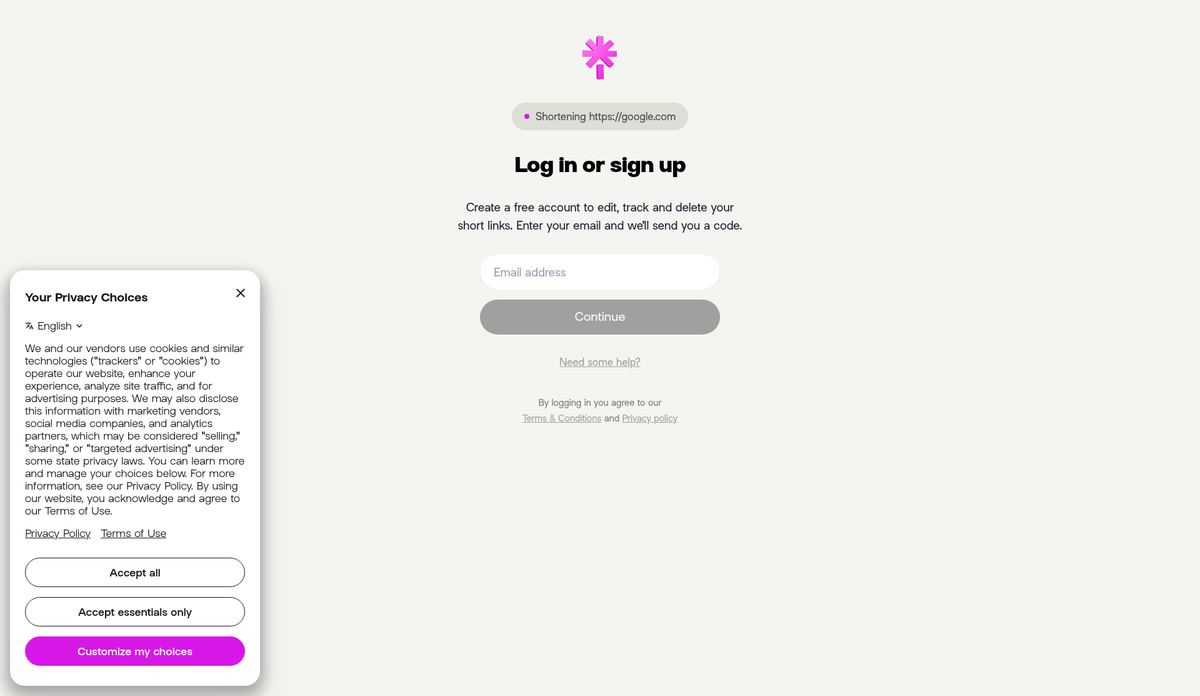
To be fair, Linktree updated tr.ee on Oct 22, 2026. It now shortens any URL and lets you add a "channel" and tags to each short link, so you can split one link by where you shared it.
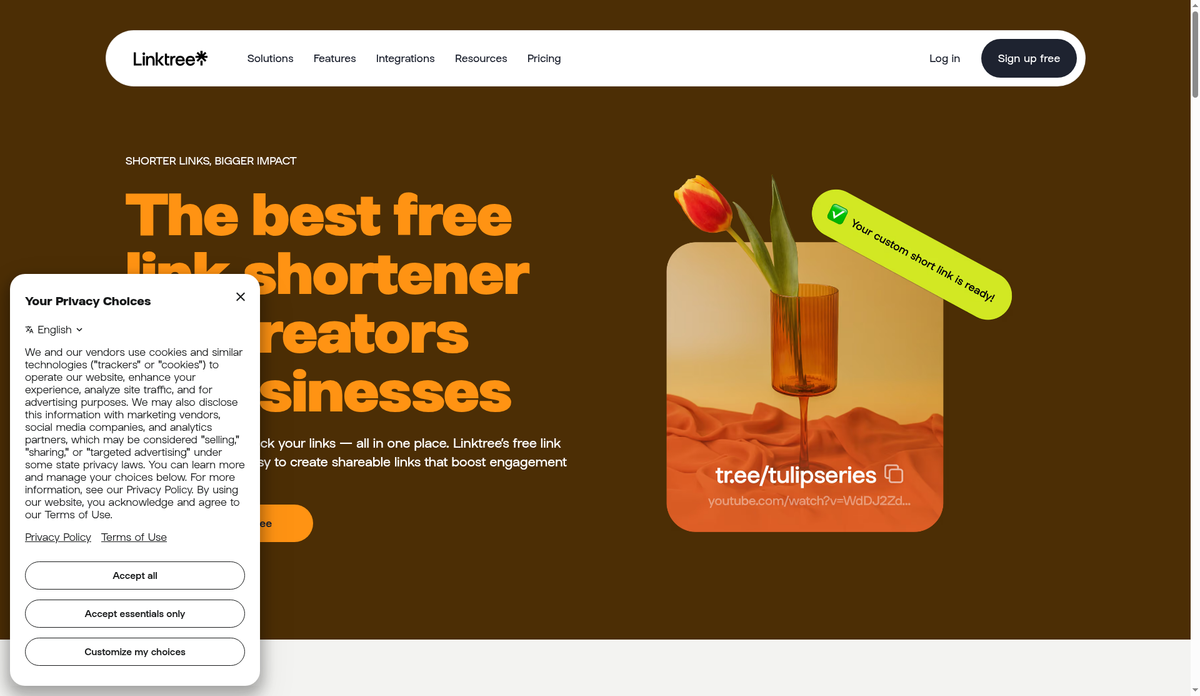
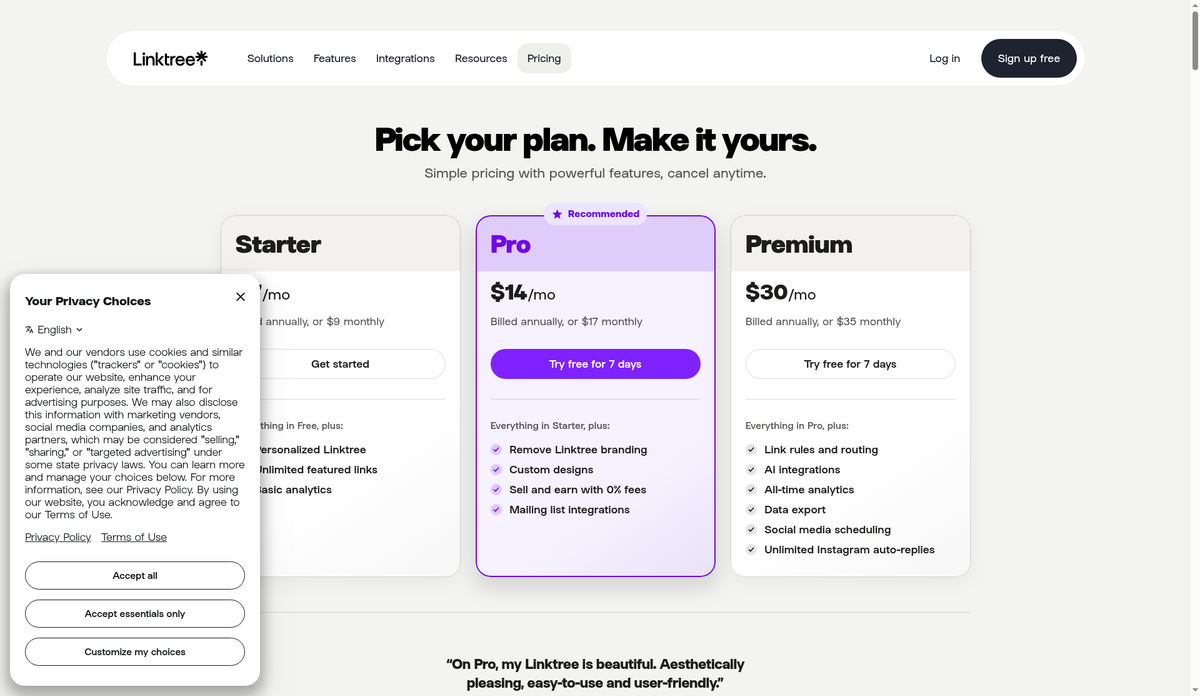
That's a real step. The difference is where it sits: under a page-builder, with your history set by your plan. Free gets 28 days, Starter 90, Pro 365, and only Premium keeps everything. Premium was $30 a month billed annually, or $35 monthly, on Linktree's US pricing page when we checked on Oct 28, 2026. Its analytics page leads with sources, locations and benchmarks.
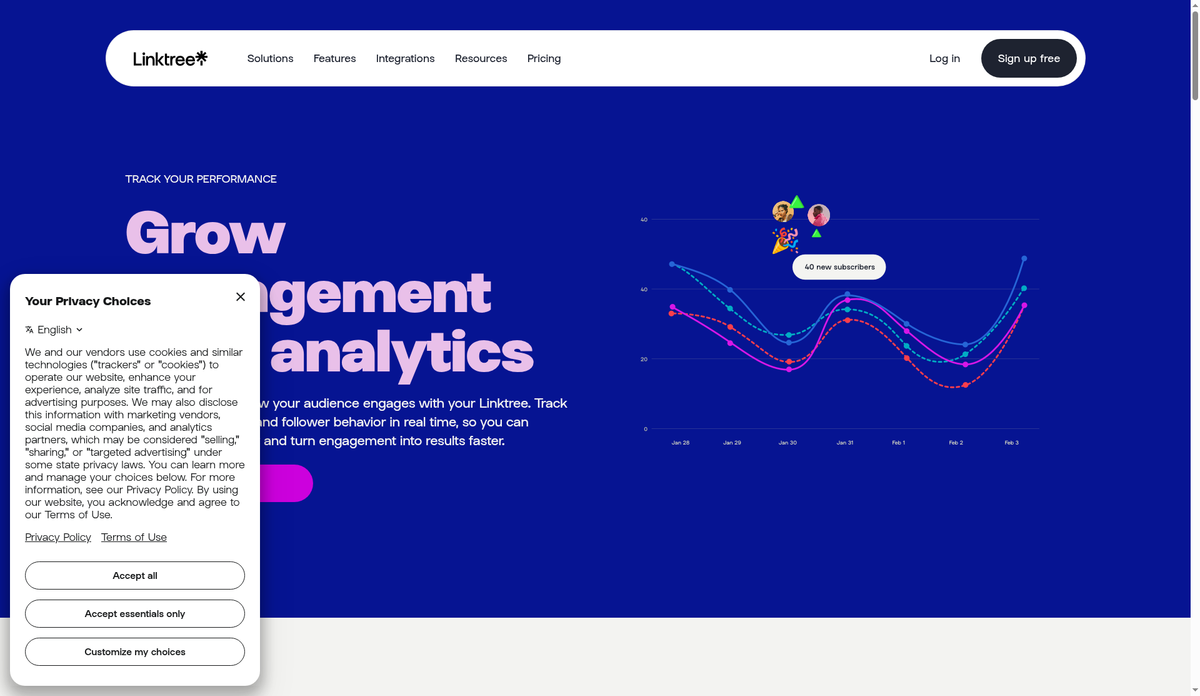
With Relay², tracking is the whole point, not an add-on. You can try one link without an account (we keep it for 7 days). A free account (10 links/month, unlimited clicks) keeps 30 days of history, and Premium ($9.99/month) keeps all-time history.
How to add a Relay² link to your X bio
X gives every profile a Website field, and it's the link that's always there.
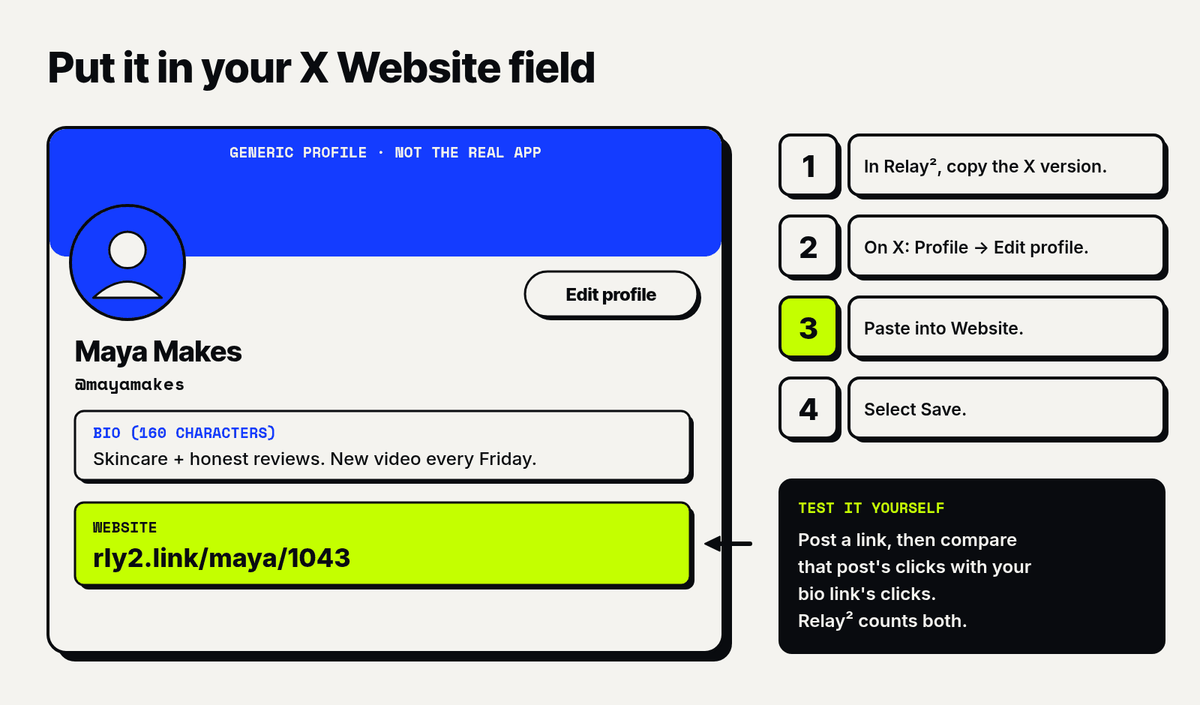
- In Relay², paste your link and copy the X version.
- On X, go to your Profile and select Edit profile.
- Paste your rly2.link into the Website field.
- Select Save.
Your bio itself has room for 160 characters if you want to mention a second link.
What about links in posts? For years, people put links in the first reply to dodge a reach penalty. In July 2026, X's head of product said you "do not need to put the links in replies anymore." Elon Musk added that X hasn't penalized links "for over a year," per PPC Land. Some analysts still think linked posts travel less far. Don't take anyone's word for it. Post the link, then compare that post's clicks with your bio link's clicks. Relay² counts both.
What you get
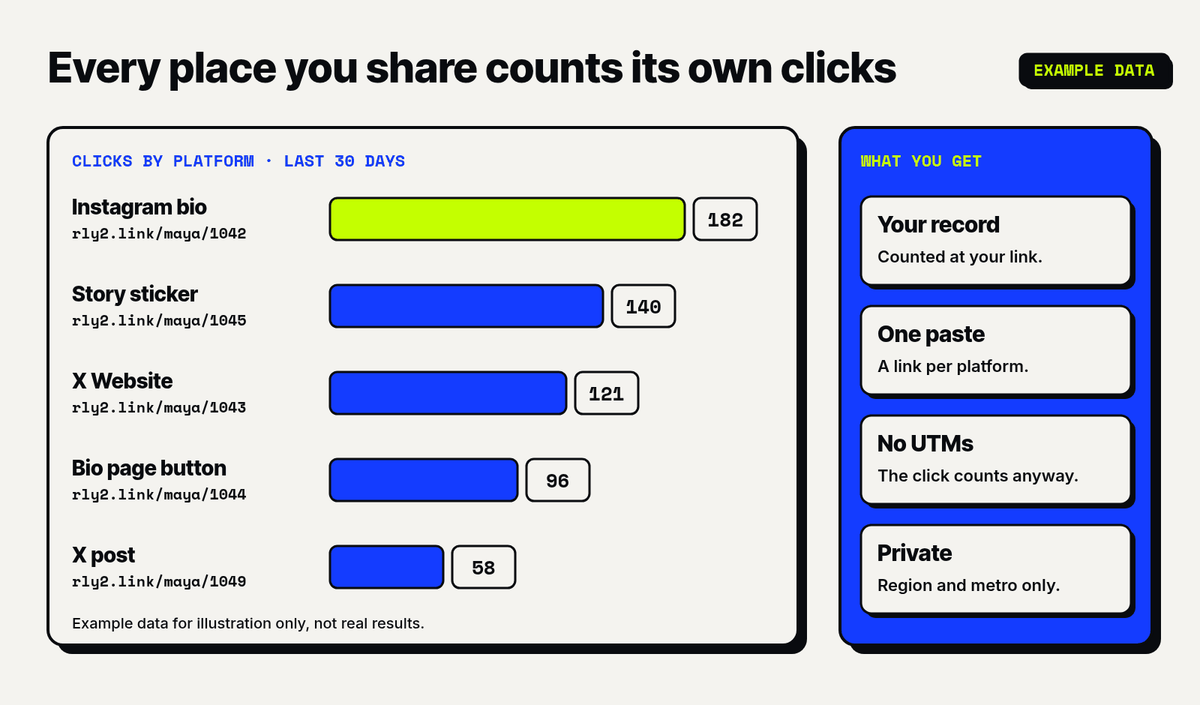
- The record stays with you. Clicks are counted at your link, not inside the app you posted on.
- One paste, every platform. A tracked link for Instagram, X, your bio and more, each counting its own clicks.
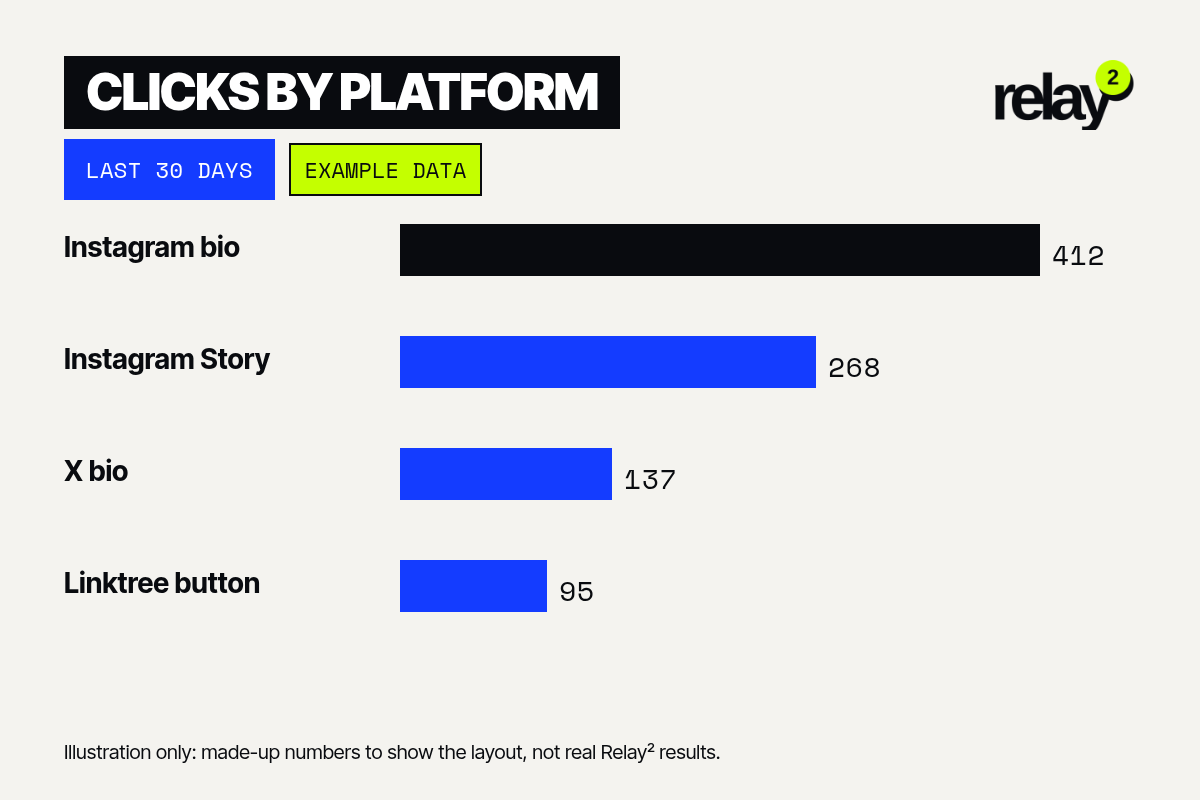
- No UTM homework. The click counts at the rly2.link whether or not the destination link carries tags.
- Your referral stays intact. It works with brand and affiliate links.
- Privacy you can explain to your audience. Region and metro only, no visitor IDs.
- Free to start, all-time on Premium. Free (10 links/month, unlimited clicks) / Premium $9.99/month. Free keeps 30 days of history. Premium adds unlimited links and all-time history.
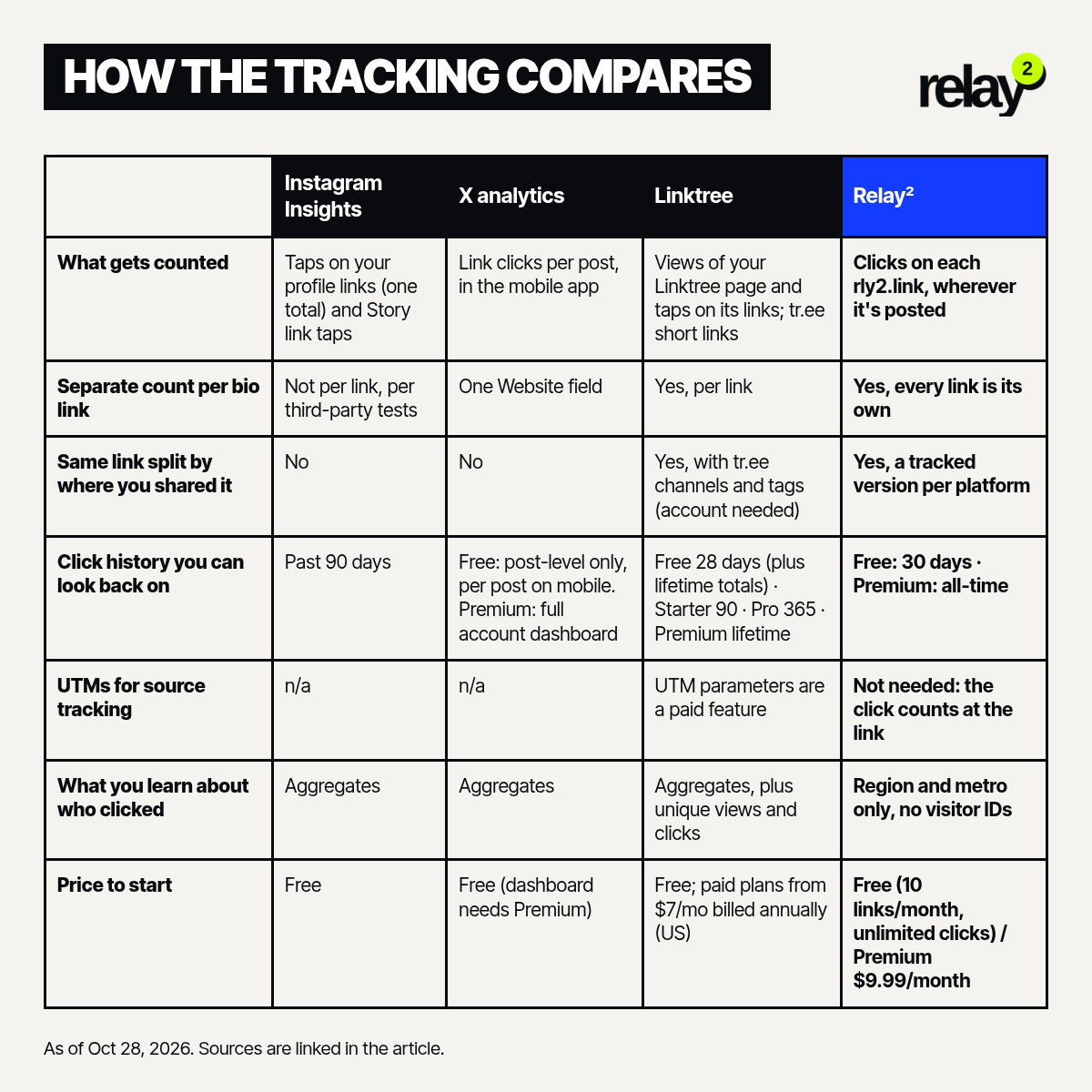
How the tracking compares
As of Oct 28, 2026. Sources are linked in the sections above.
Instagram Insights
- What gets counted: Taps on your profile links (one total) and Story link taps.
- Separate count per bio link: Not per link, per third-party tests.
- Same link split by where you shared it: No.
- Click history you can look back on: Past 90 days.
- UTMs for source tracking: n/a.
- What you learn about who clicked: Aggregates.
- Price to start: Free.
X analytics
- What gets counted: Link clicks per post, in the mobile app.
- Separate count per bio link: One Website field.
- Same link split by where you shared it: No.
- Click history you can look back on: Free: post-level only, per post on mobile. Premium: full account dashboard.
- UTMs for source tracking: n/a.
- What you learn about who clicked: Aggregates.
- Price to start: Free (dashboard needs Premium).
Linktree
- What gets counted: Views of your Linktree page and taps on its links; tr.ee short links.
- Separate count per bio link: Yes, per link.
- Same link split by where you shared it: Yes, with tr.ee channels and tags (account needed).
- Click history you can look back on: Free 28 days (plus lifetime totals) · Starter 90 · Pro 365 · Premium lifetime.
- UTMs for source tracking: UTM parameters are a paid feature.
- What you learn about who clicked: Aggregates, plus unique views and clicks.
- Price to start: Free; paid plans from $7/mo billed annually (US).
Relay²
- What gets counted: Clicks on each rly2.link, wherever it's posted.
- Separate count per bio link: Yes, every link is its own.
- Same link split by where you shared it: Yes, a tracked version per platform.
- Click history you can look back on: Free: 30 days · Premium ($9.99/month): all-time.
- UTMs for source tracking: Not needed: the click counts at the link.
- What you learn about who clicked: Region and metro only, no visitor IDs.
- Price to start: Free (10 links/month, unlimited clicks) / Premium $9.99/month.
FAQ
Can I use a Relay² link in my Instagram bio?
Yes. It's a normal web link. Add it under Edit profile → Links.
Can I put Relay² links inside my Linktree?
Yes. Edit each button and swap its URL for a rly2.link.
Does Relay² replace Linktree?
Today it replaces the tracking, not the page. Keep your page and track the links on it. A Relay² bio page is on the way.
Does Instagram show which of my bio links got tapped?
Not separately, according to third-party tests. You get one "External link taps" total for your profile links.
Will a link in my X post hurt my reach?
X says it stopped penalizing links over a year ago. Test it on your own account and compare the clicks.
What does Relay² know about who clicked?
Region, metro, time and the platform link they used. Never who they are.
How far back can I see my clicks?
Free: 30 days of history. Premium ($9.99/month): all-time history. For comparison, Instagram's insights look back 90 days, and Linktree ranges from 28 days on Free to lifetime on Premium.
Do I need an account?
No, not to try it. You can make one link without signing up, and we keep it for 7 days. A free account gives you 10 links/month, with unlimited clicks.
Will my affiliate link still work?
Yes. Your referral stays intact, and the click goes straight on to the brand's page.
Keep the whole cookie
Platforms will keep counting what suits them. You can count what matters to you.
Paste your next link at relay2.app. Pricing is simple: Free (10 links/month, unlimited clicks) / Premium $9.99/month. Free keeps 30 days of click history, no card needed. Premium keeps all-time history.